
Password protecting a page is helpful if you want to restrict who can view the contents of a page. The page will still show up in your menu but will require a password for access. Let’s go over how to password protect one of your pages!
Click “Pages” in Admin Bar
To access your pages click “Pages” in the top admin bar.

Hover Over Page You Wish To Password Protect & Click “Options”
Hover over the page you want. That will bring up different options including “Options” on the right side of the highlighted item. Click on “Options”.

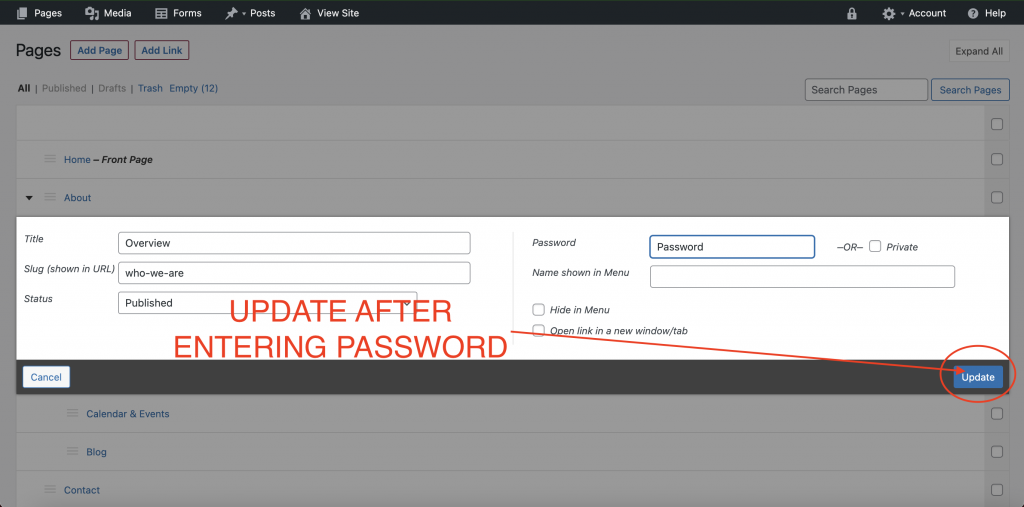
Enter Password
Clicking “Options” will open a window that allows you to create a password. Enter the password you wish to use and click “Update”.

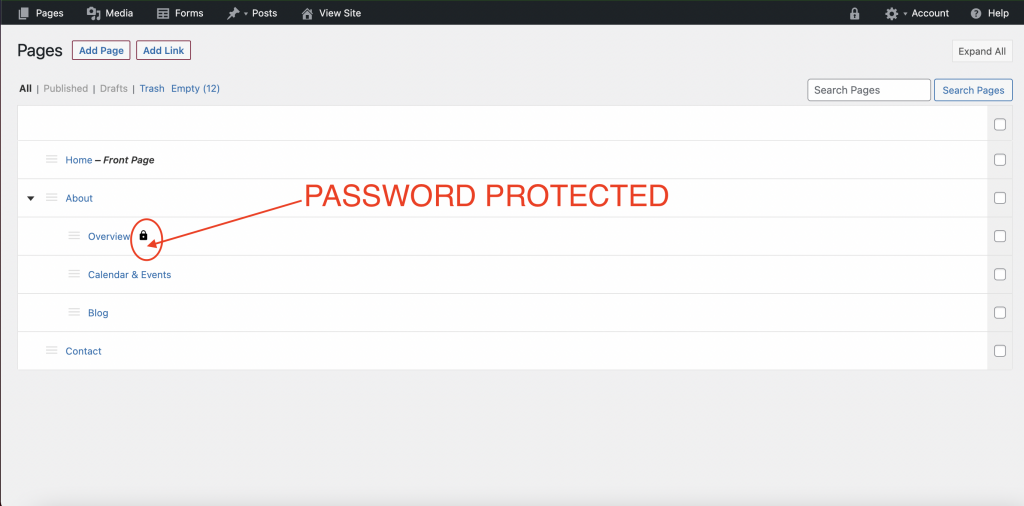
Verify
Once you have entered the password, verify that the page has a lock next to it in the menu.
See It From The Front End
This is how the page will appear once you click on it from the menu before you enter the password:
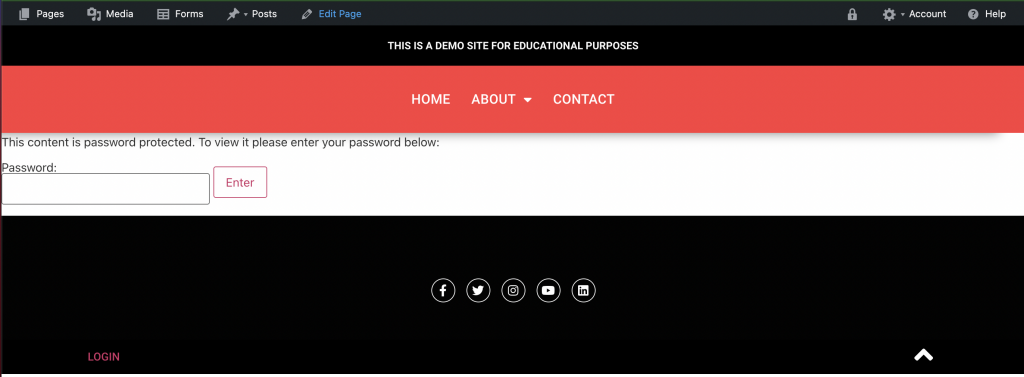
Viewers can only access the pages contents if they enter the correct password.