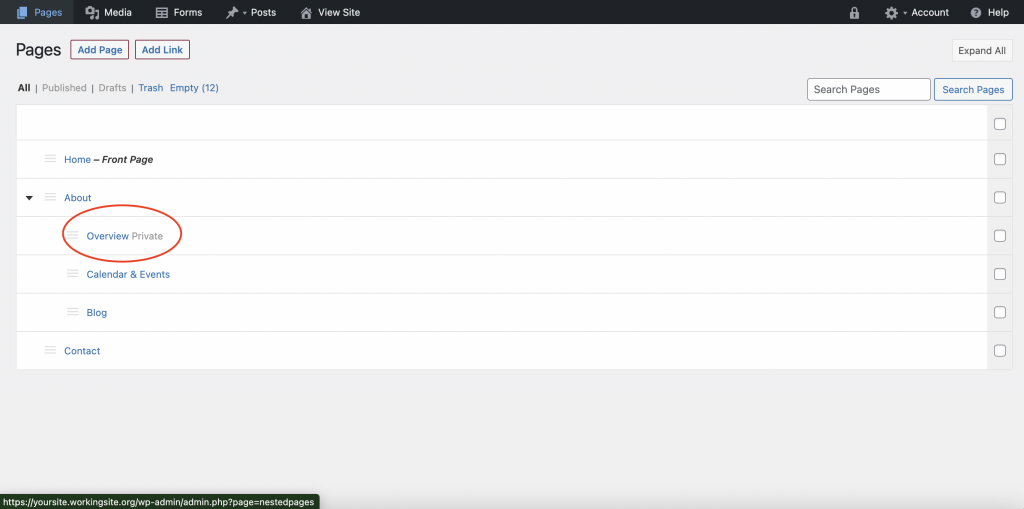
Making a page “private” is helpful if you have a page that you do not want to show up in your menu, but you want to be able to send to people directly. So the page will still have its own link and will be accessible to anyone with the link. It will however, not show up on the menu.
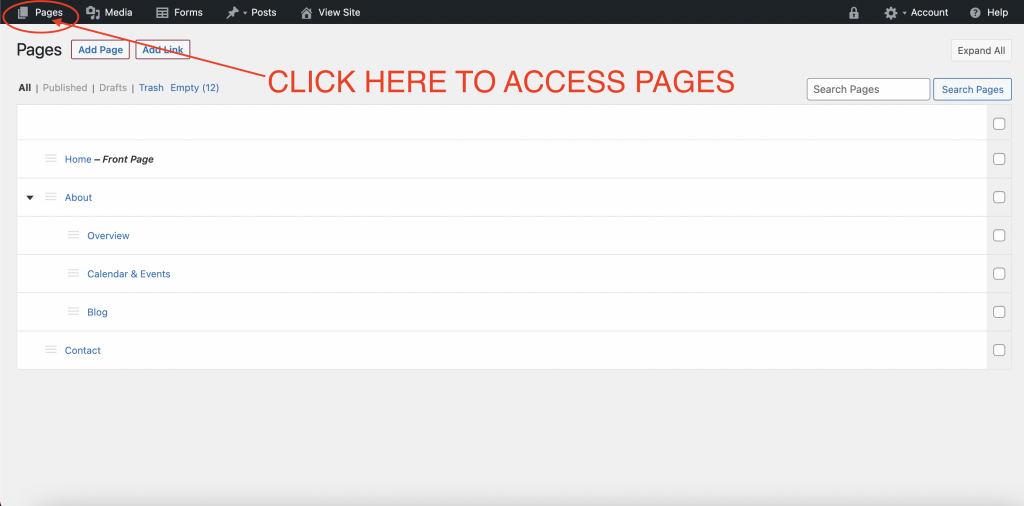
Click “Pages” in Admin Bar
To access your pages click “Pages” in the top admin bar.
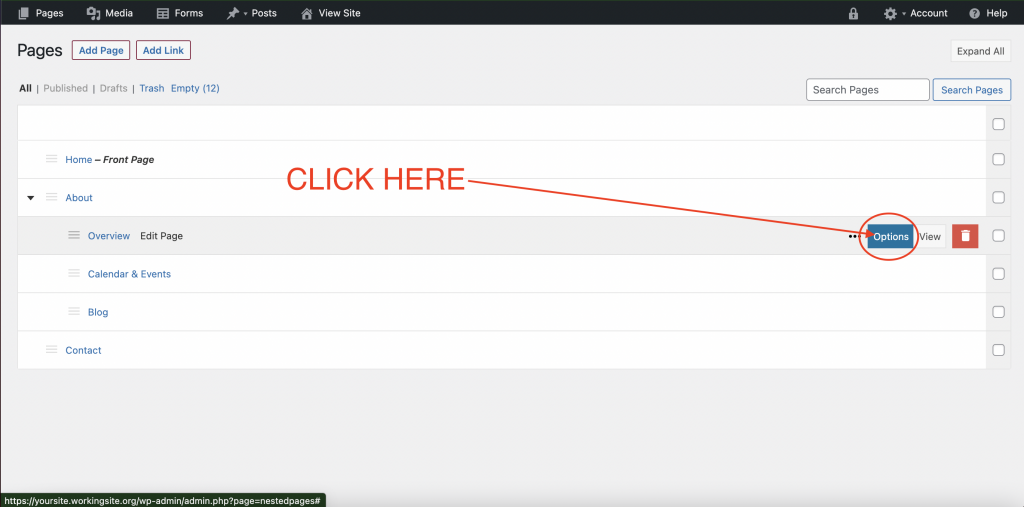
Hover Over Page You Wish To Private & Click “Options”
Hover over the page you want. That will bring up different options including “Options” on the right side of the highlighted item. Click on “Options”.
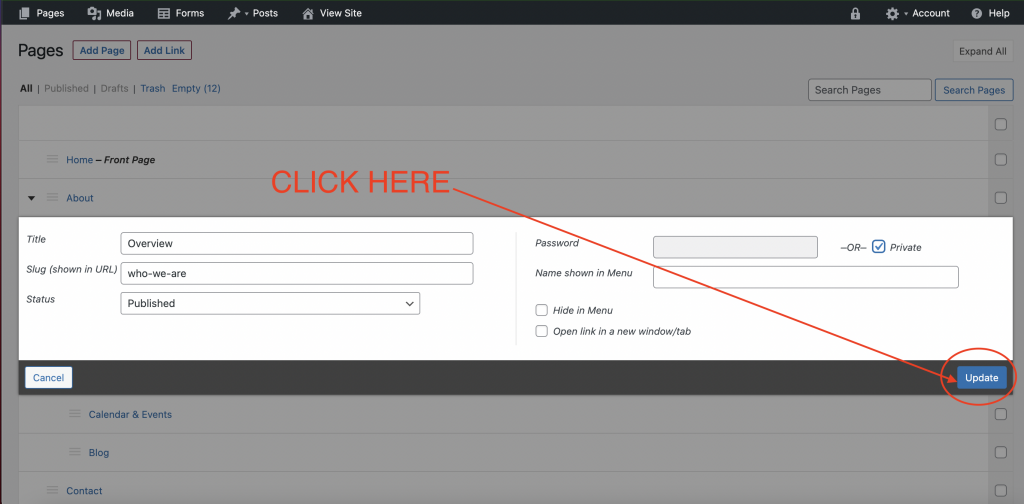
Click “Private”
Clicking “Options” will open a window that allows you to select “private”.
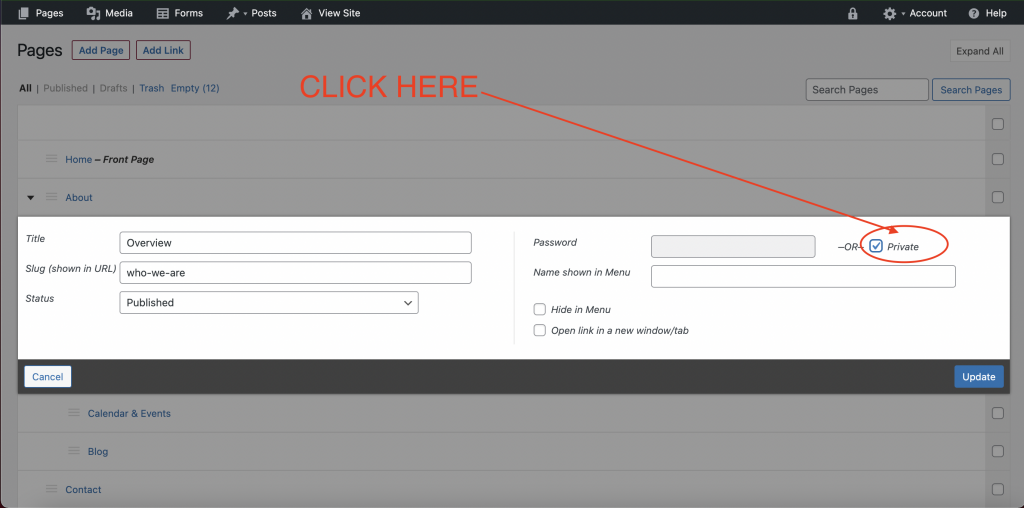
After selecting “Private”, be sure to click “Update”.
Check Pages
After you update, you will see the page now should say “Private” next to it.