
In this tutorial we cover how to access the editing options for your header and footer. For majority of our sites, the header and footer appear on every single page and the top and bottom of the page. You do not have to edit the header and footer on each page. Any editing that you do will be saved and applied globally across your site.
Enter “Edit Page” From Any Page
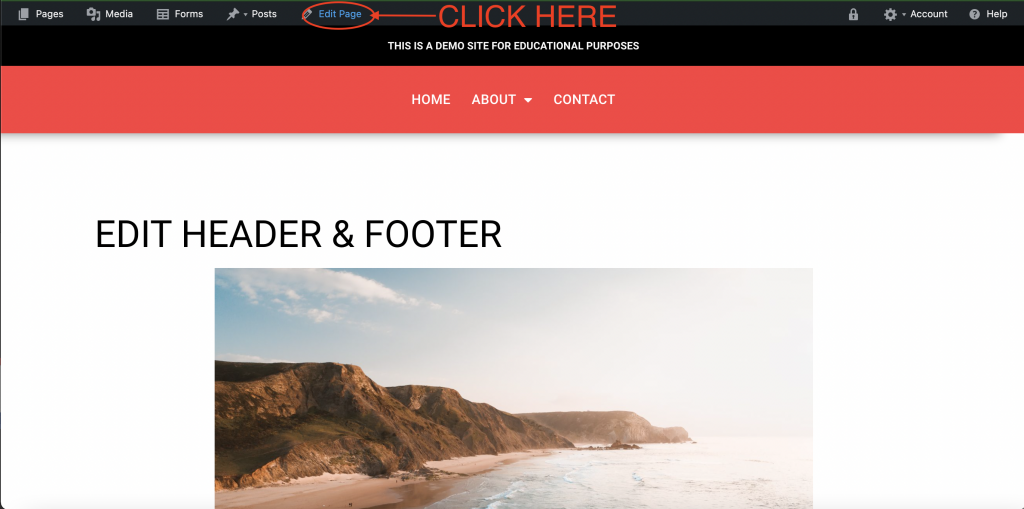
The first step is entering the page editor. You can do this by clicking “Edit Page” in the admin bar from any page on your site.
Access Header Settings
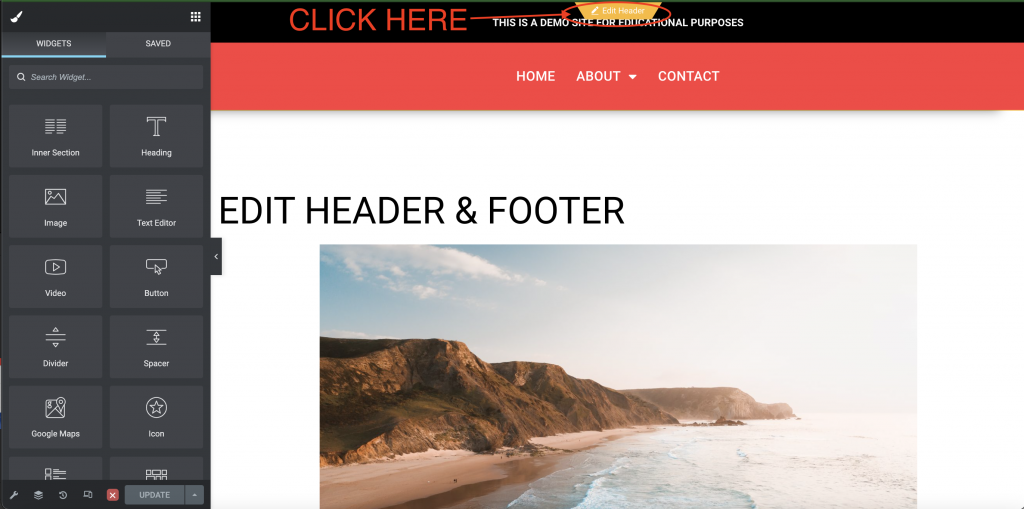
To Access the header settings, hover over the header once in page editor and click on the tab that says “Edit Header”.
Access Footer Settings
You access the footer in the same way as the header. Hover over the footer and click “Edit Footer”.

Video Tutorial
Watch us go through how to access the header and footer editing options.
Final Notes
- When you are done editing, always be sure to “Update” before exiting